Cart Fees
Administration > Cashier Setup > Cart Fees
The Cart Fees option lets you set up cart fees on the administrative and citizen portal sides:

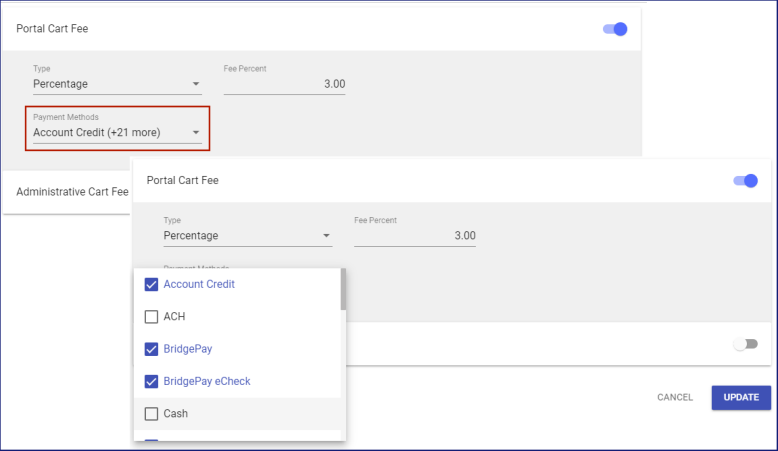
The Portal Cart Fee and Administrative Cart Fee appear on individual cards. To set up either cart fee, click its corresponding button on the right side of the card.
The card expands to display two fields side by side:
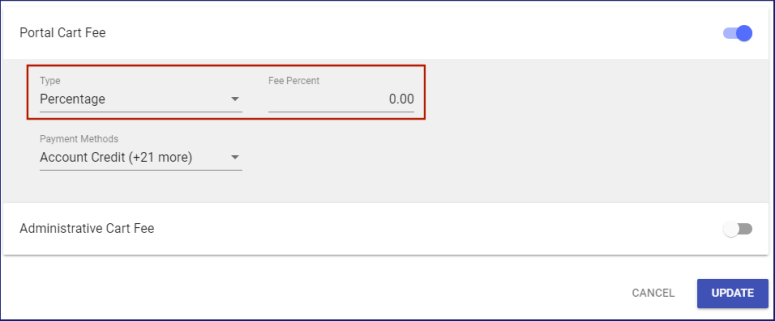
Click in the left field to select from a drop-down whether the cart fee will be a Percentage or an Amount:
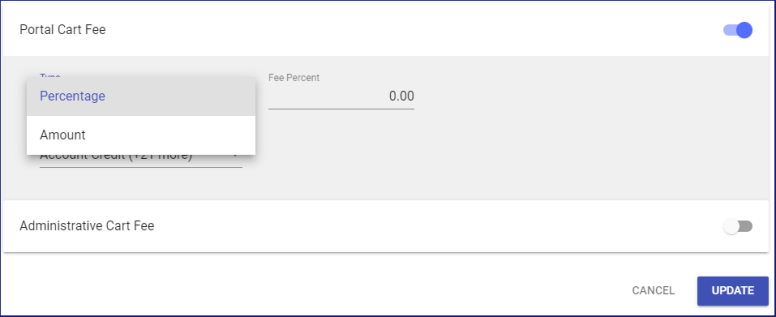
In the right field, type the percentage or dollar amount:
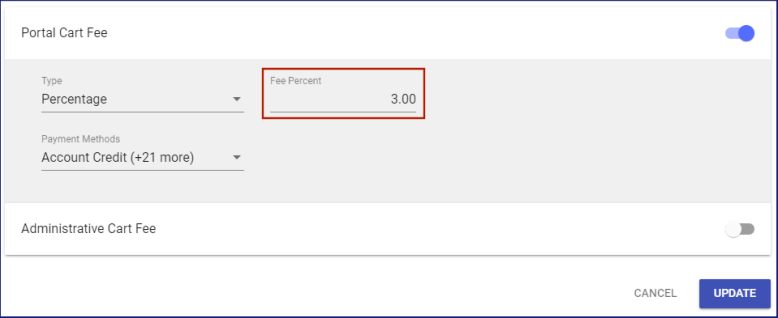
To apply the cart fee to one or more payment methods, select from the Payment Methods drop-down:
Based on the payment method selected during checkout, the cart fee displays as a line item on the Order Summary and Payment page.
Click the UPDATE button to save your entries.
Cart Fee Payment Method Setup
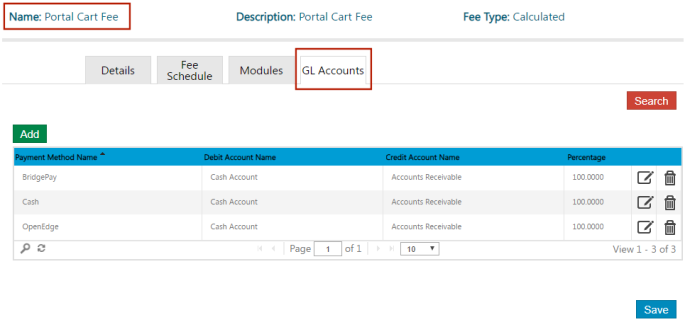
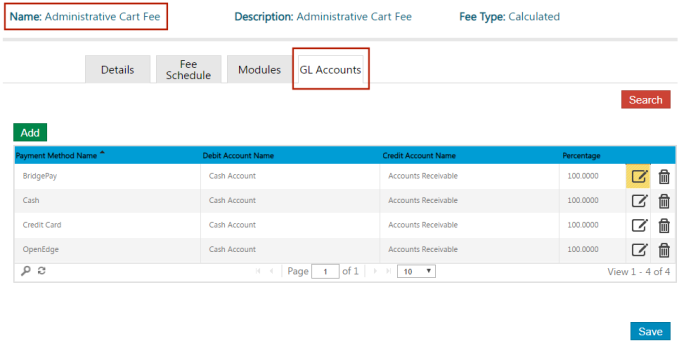
To ensure that cart fees hit the correct general ledger accounts, add any payment methods used in Parks & Rec to the GL Accounts tab on the administrative and portal cart fee pages:
Administrative Cart Fee
Portal Cart Fee